Lost in your tabs?
Found in your history.
Search up to 1,000 recent text clips. Pin the keepers so they stay with you beyond the rolling history.
A LITTLE LESS “WHERE WAS THAT?” Super+GlueA BLUEWATER AI APP
A LITTLE UTILITY. A LOT LESS RE-COPYING.
Your clipboard has a short memory.
Let’s give it a better one.
Find the text you copied earlier. Keep your go-to snippets a shortcut away. All right here on your Mac.
Free. Native macOS app. No account needed.
01 / THE GOOD STUFF
A link. A line of code. That perfectly worded reply.
Keep the useful bits moving with you.
Search up to 1,000 recent text clips. Pin the keepers so they stay with you beyond the rolling history.
A LITTLE LESS “WHERE WAS THAT?”Put snippets in three quick slots.
Hold the keys together. Choose 1, 2, or 3 for the slot.
You choose when recording starts. Pause anytime, go Incognito, or export your clips when you want to.
A closer look at privacyA SMALL SHORTCUT TO A SMOOTHER DAY.
Your go-to words.
At your fingertips.
npm run build↗Looks great — ship it.
✓02 / A CLOSER LOOK
A familiar Mac window. A few thoughtful tools.
Take a look around Super+Glue in light mode.
SAME APP. A LITTLE CLOSER.
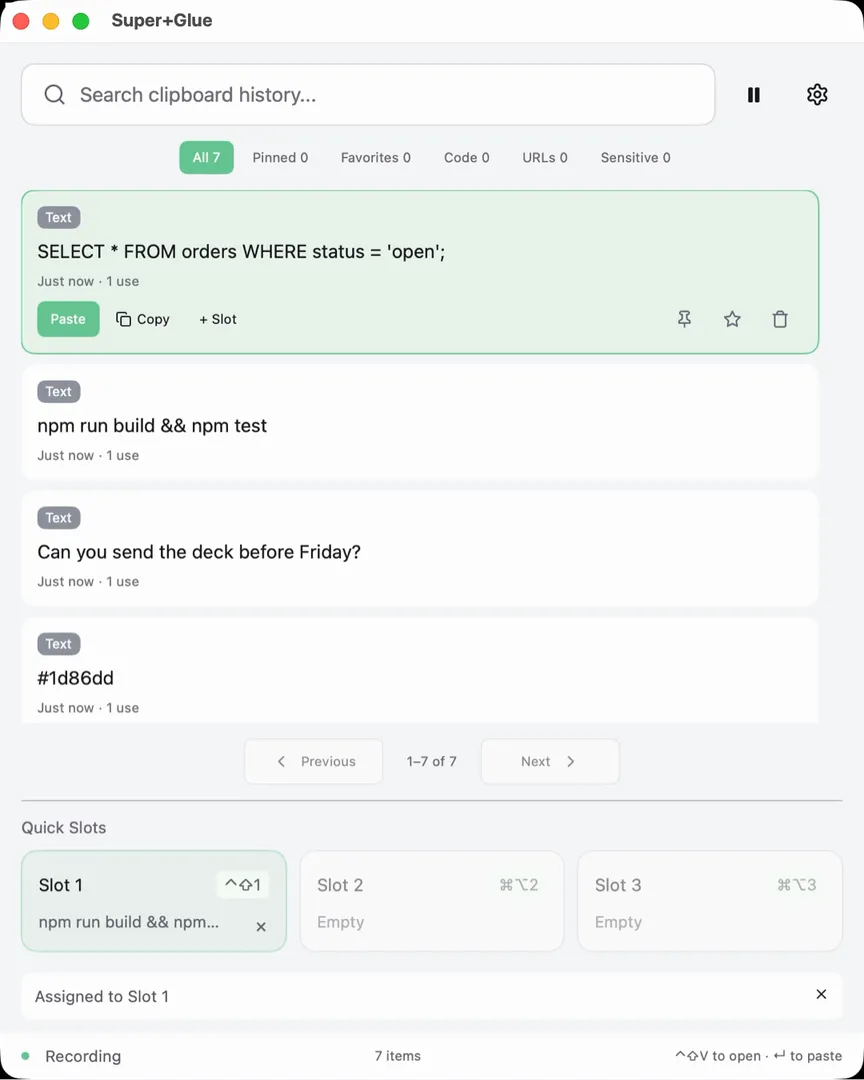 See the real thing moving.A screen recording. A few sample clips.
Real screenshots and recording. Sample text.
The app interface is shown as it is.
03 / BETWEEN YOU AND YOUR MAC
Your clipboard is personal. Super+Glue keeps your clipboard data on your Mac, with no analytics, no telemetry, and no account.
Nothing is captured until you choose Start Recording. Pause or go Incognito whenever you need a little privacy.
Sensitive-content exclusion is on by default. It skips likely secrets and items apps mark as concealed. It’s best-effort, so you stay in control.
History is stored locally in plaintext, with owner-only file permissions. It isn’t encrypted. Export as JSON, Markdown, HTML, or CSV.
Deleting history removes it from the app. Backups, snapshots, and copies in other apps are outside its reach.
A FEW USEFUL DETAILS
Yes. Super+Glue is a free native Mac app. No account is needed.
The first public direct-download release is coming soon.The current release is available as a free direct download. Check release details and installation steps.
Text clips, up to 1 MiB each. It keeps up to 1,000 recent clips, plus the clips you pin. Quick slots stay until you clear them.
Only for automatic paste. Without it, a quick slot can still copy its text, and you can paste it yourself with ⌘V.
The first public release is coming soon. Download details will appear here when it is available.
Current version: v2.0.0. Download the disk image, then follow these steps.
Compare the SHA-256 from this command with the published value below.
shasum -a 256 ~/Downloads/SuperGlue_arm64.dmgLESS RE-COPYING. MORE YOU.
Super+Glue v2.0.0 · Free · Apple silicon